
Terminology
UrbanMetrix consists of two main components: the Web-App and the 3D Visualizer. In the Web-App, you will find the Project Dashboard, which is organized according to the following hierarchy:
Dashboard > Project > Grid > Geodata > Simulation Set
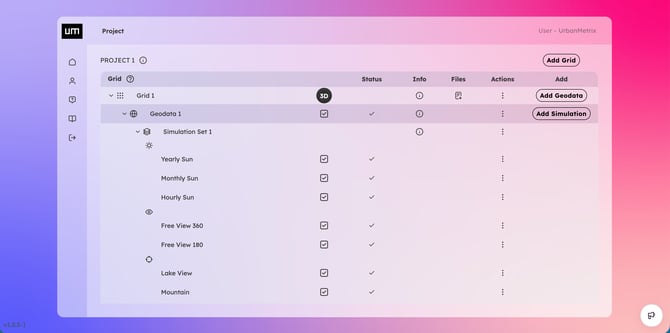
Geodata and Simulation Sets associated with the same Grid can be opened jointly in the 3D Visualizer.
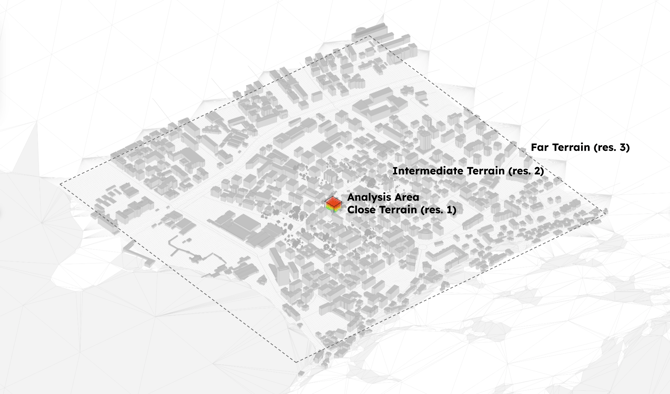
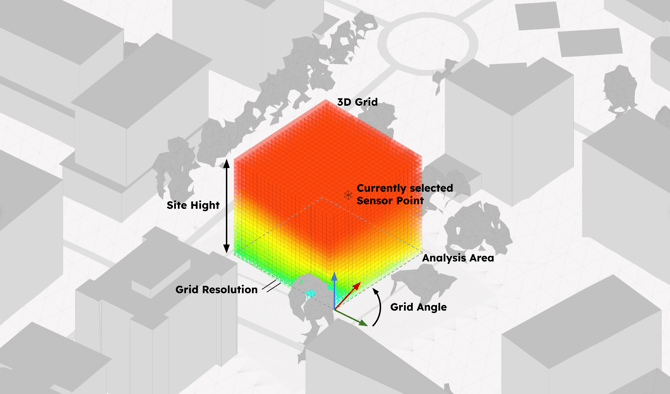
Workflow
-
Add Geodata
(Click on 3D and open the Visualizer if you need to check or edit Geodata) -
Open the Visualizer to explore data and create results
If the shape of your Building is already defined you can upload the 3D model in the Geodata or sketch if in the Geodata editing mode before running simulations.
System Requirements
-
Browser: Chrome
-
Internet Speed: 100 Mbps download
- GPU: suitable for 3D applications