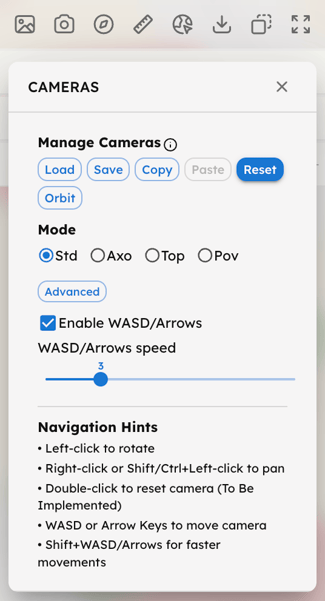
Use the Cameras button to:
- Manage Cameras: Load, Save, and Copy-Paste specific points of view across the scene, or Reset to the default view. Use the Orbit function to start a continuous 360° rotation around your target.
- Set view Mode: Choose between Std (Perspective), Axo (Axonometric), or a planar Top view. Select Pov to place the camera in a first-person perspective at the selected Sensor Point. This is specifically designed for direct visual analysis from a human-scale viewpoint.
- Enable or disable WASD/Arrow key navigation and adjust the movement speed.