Mixer
The Mixer allows you to combine multiple Data Layers using due different modes:
-
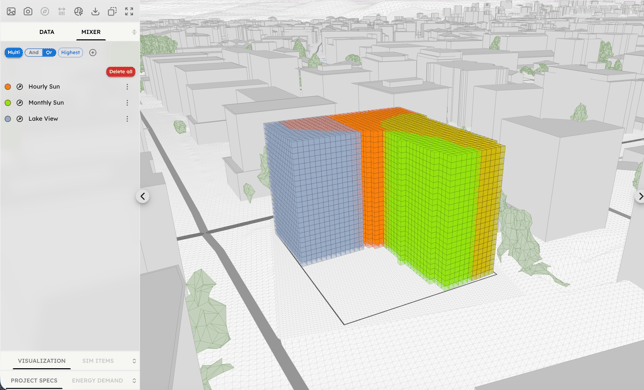
Multi Mode: in this mode, Layers added to the mixer are displayed jointly in the 3D scene. When using Multi mode, it is typically recommended to pre-filter individual layers. This mode is useful for identifying consistencies among different data layers in terms of position and direction.
-
If OR is selected, all Sensor Point data from the layers is displayed.
-
If AND is selected, only Sensor Points that are active in the same position for all layers are displayed.
-
If Highest is activated, only the Sensor Point shapes of the layer with the highest value are displayed.
-
-
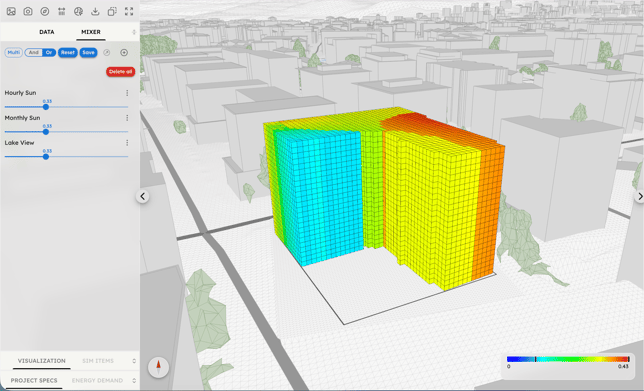
Mixed Mode: in Mixed mode, all added Data Layers lose their original unit of measure and are remapped to a range between 0 and 1. They are then additionally weighted by a user-defined factor from 0 to 1.
By default, layer values are mapped using the Range min/max to 1, which uses the formula value = value/max .
This formula produces values ranging from min/max to max/max (i.e., from a given number lower than 1, up to 1). This setting is useful to prevent low values from being set to zero or excessively reduced, ensuring they still contribute to the combination in the Mixer.
However, by activating the Range 0 to 1 option, you can switch to a mapping spanning from 0 to 1 using the formula value = (value-min)/(max-min) .
This produces values ranging from (min-min)/(max-min) to (max-min)/(max-min) , spanning from 0 to 1.
The Invert Gradient option reverses the value gradient of a Layer from increasing to decreasing using the formula value = 1-value .
This is useful when combining layers where increasing values have negative effects (e.g., Noise) with layers where increasing values have positive effects (e.g., View).
In Mixed Mode it is then possible to apply filters to the mixed data, in the same way as for standard single data layers.