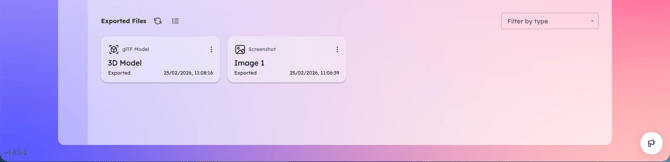
Use the Export button to download:
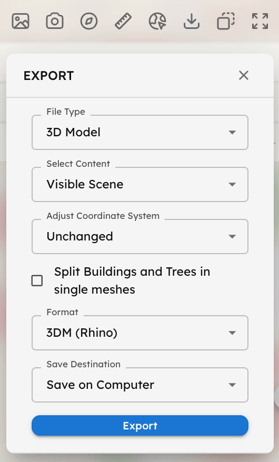
- 3D Model: Select your content, coordinate system, and file format. You can choose to export Buildings and Trees as individual meshes or as a single merged mesh.
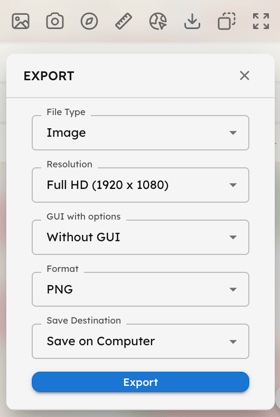
- Image: Capture the current view by selecting your preferred file type, resolution, and format. You can choose to include or exclude the Graphical User Interface (GUI) in your capture.
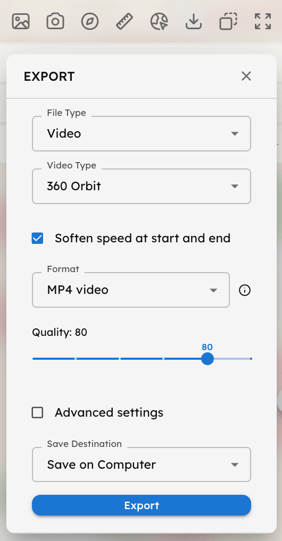
- Video: Choose from different recording types (360 Orbit, 360 Look-Around, or Free Screen Recording). Select the format (MP4 or GIF) and quality. Use Advanced Settings to define duration, FPS, and resolution.
- Sensor Point Data: Select content and format and download simulation results as raw data (or as 3D objects via the 3D Model section).
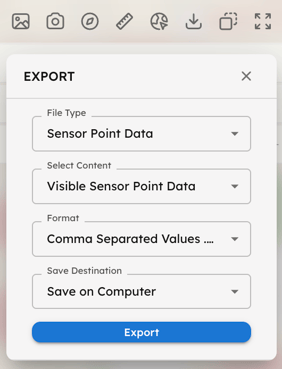
Export Destination: For every export, you can choose to download the files directly to your local computer and/or save them to the Cloud. Cloud exports will be stored and accessible directly from your Web-App Dashboard.