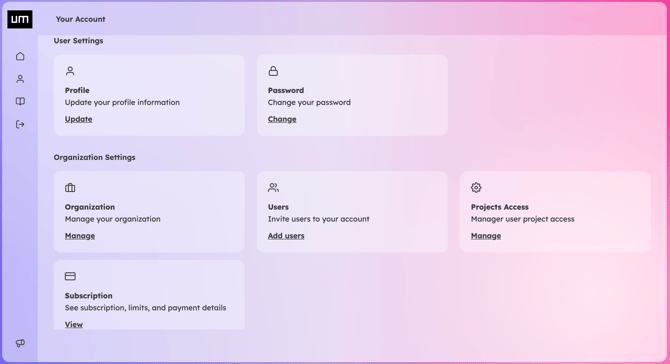
To invite new members, navigate to Organization Settings > Users and click Add Users.
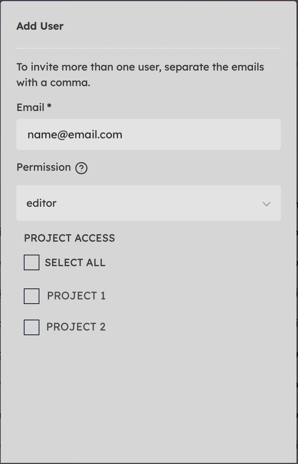
Click on Add Users, enter the email address(es) of the invitees, and assign their access level from the following roles:
- Admin: Has full access to all projects within the organization. Admins can create new projects, invite new users, and manage project access permissions.
- Editor: Designed for internal or external collaborators. Editors can view and modify only the specific projects they have been explicitly granted access to by an Admin.
- Viewer: Restricted to read-only access. Viewers can explore and review assigned projects but cannot make any modifications.